Microsoft Authenticator, and Third-Party OAuth Tokens are supported. Microsoft Authenticator is the most recommended option due to its strong security.
MFA is required when staff or students access VTC systems from external networks. In addition, MFA is also mandatory when accessing confidential systems, even within the VTC internal network.
Users are required to verify their MFA authentication method including Departmental account once every year to ensure it remains up to date, regardless of whether the account is accessed from within the VTC network.
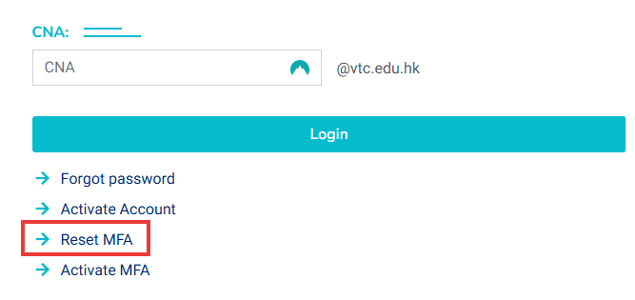
1. Navigate to Email & CNA Services Portal
2. Select your role (Staff/Student)
3. Click "Reset MFA"
4. Read and agree the regulation
5. Enter your CNA account and the validation code
6. Your MFA method(s) will be reset by now, please follow the Procedures to setup your new MFA method
1. Navigate to Microsoft Security Info
2. Login with your CNA and password
3. Click "Add sign-in mthod"
4. Choose the new MFA method and follow the Procedures to setup your new MFA method
5. Click "Change" to modify your default MFA method
You can register up to five devices as MFA authentication methods.
This warning indicates that MFA has not been set up on your account. Please follow the Procedures to complete the MFA registration
Upon entering your account and password, you will be prompted with a verification code screen. You may click "I can't use my Microsoft Authenticator app right now" to navigate back to the alternative authentication options